logo | Help
  • Getting Started
    • How Does This Work
    • Account Opening
    • Purchasing A Plan
    • Setting Permissions
    • Redacting your first document
  • General
    • Customize date format and time zone
    • How To Upload Documents
    • Handling Audit Trails
  • Users and Teams
    • Creating A Team
    • Invite New Users
    • Inviting New Team Members
    • Inviting New Members To A Sub-team
    • Sharing Documents With Team Members
  • Productivity
    • Text Mapping
    • Redacting By Categories With AI
    • Enabling Multi-Screen
    • Quickly Find and Redact Text
  • Handling The Editor
    • Adding Object Fields
    • Resize, Remove, and Move Object Fields
    • Setting Editor Layout
    • Responsiveness of the Editor
    • Live Search Document
  • Managing Subscriptions
    • Managing Your Subscriptions
    • Cancelling Your Subscriptions
    • Updating Your Subscriptions
    • Updating Your Payment Method
  • Redact Data
    • How to Redact A Document
    • How to Redact An Email
    • Redacting Metadata
  • Managing Documents
    • Managing Your Documents

Creating A Team

To create a team, login to Obfys and then go to the 'teams' page, and hit the create team button. After hitting the create team button, a prompt is displayed that allows you to set the name of the team as well as a description of the team. You then hit the save button, and the team is created.
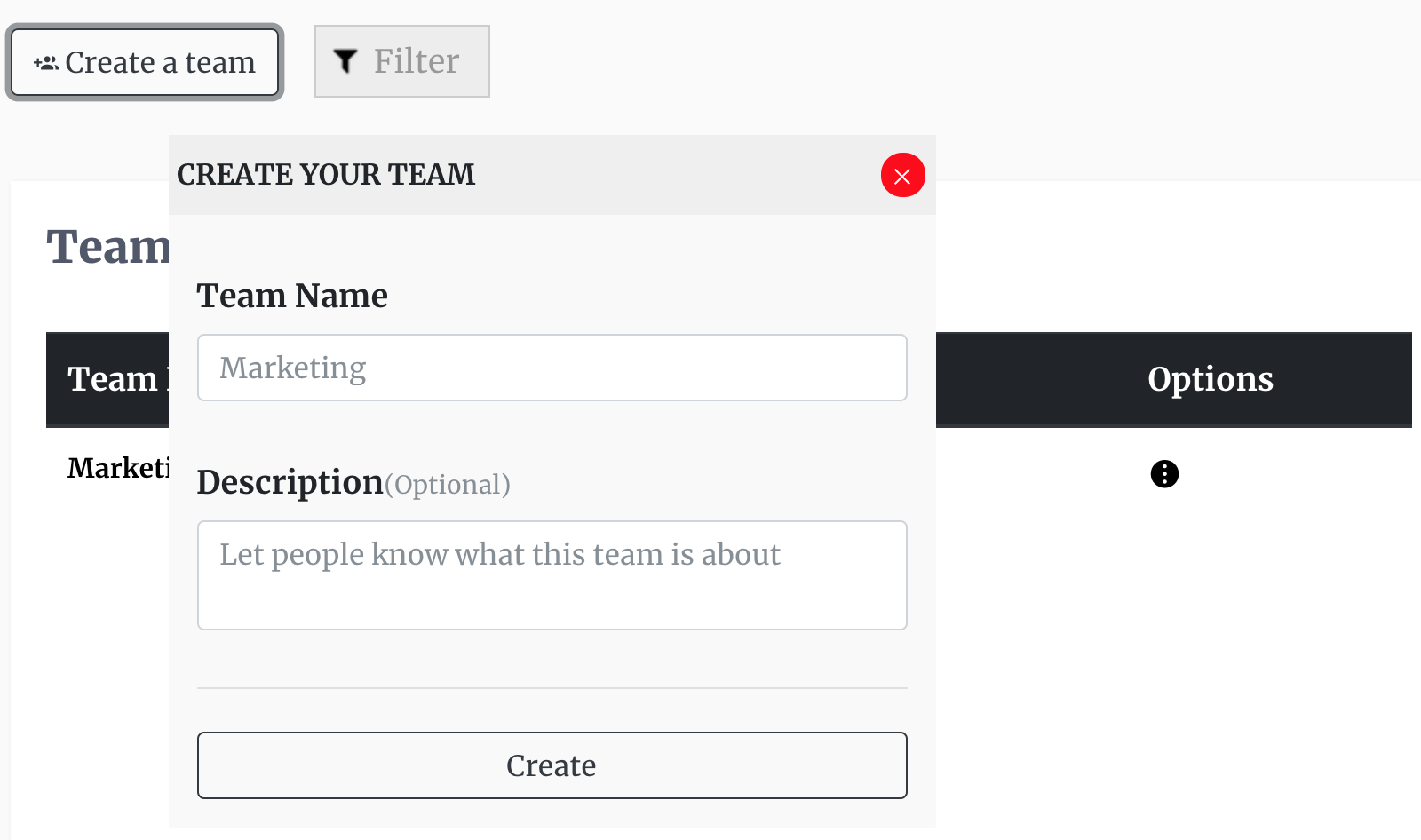
Image Create Team

site logo ©
Product
  • Pricing
  • Book A Demo
Resources
  • Help Center
  • Blog
About
  • Contact
  • Privacy
  • Terms

Simple, Flexible, and Cost Effective

Connect

  • facebook
  • facebook