logo | Help
  • Getting Started
    • How Does This Work
    • Account Opening
    • Purchasing A Plan
    • Setting Permissions
    • Redacting your first document
  • General
    • Customize date format and time zone
    • How To Upload Documents
    • Handling Audit Trails
  • Users and Teams
    • Creating A Team
    • Invite New Users
    • Inviting New Team Members
    • Inviting New Members To A Sub-team
    • Sharing Documents With Team Members
  • Productivity
    • Text Mapping
    • Redacting By Categories With AI
    • Enabling Multi-Screen
    • Quickly Find and Redact Text
  • Handling The Editor
    • Adding Object Fields
    • Resize, Remove, and Move Object Fields
    • Setting Editor Layout
    • Responsiveness of the Editor
    • Live Search Document
  • Managing Subscriptions
    • Managing Your Subscriptions
    • Cancelling Your Subscriptions
    • Updating Your Subscriptions
    • Updating Your Payment Method
  • Redact Data
    • How to Redact A Document
    • How to Redact An Email
    • Redacting Metadata
  • Managing Documents
    • Managing Your Documents

Text Mapping

Text Mapping is a powerful feature designed to speed up the redaction process while reducing manual effort. It allows you to link a redaction box to specific text or phrases and automatically apply the same redaction throughout the document.

How to Use Text Mapping

  1. Use the pen or box tool to highlight a word or phrase in the document
  2. Right-click the highlighted area to open the context menu
  3. Locate the Text Mapping section
  4. The selected text will appear pre-filled—edit it if needed
  5. Click Go to apply the mapping

What Happens Next

Once applied, all instances of the selected text or similar matches throughout the document will be automatically scheduled for redaction, saving time and ensuring consistency.
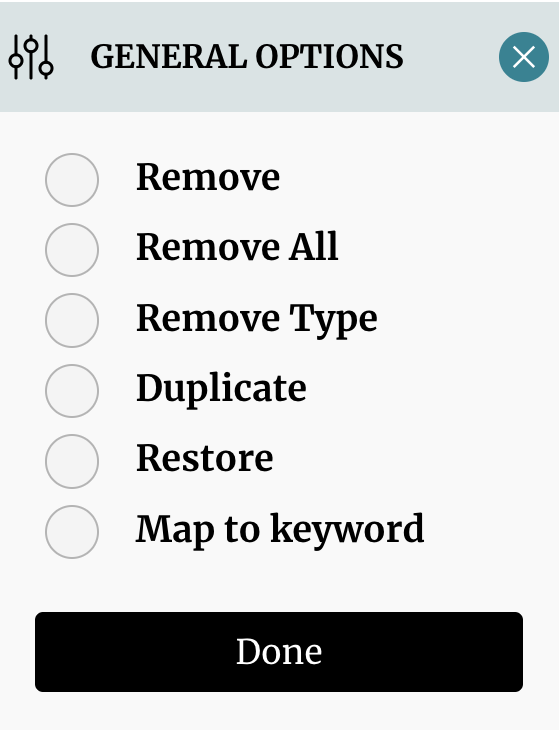
Text Mapping Option

site logo ©
Product
  • Pricing
  • Book A Demo
Resources
  • Help Center
  • Blog
About
  • Contact
  • Privacy
  • Terms

Simple, Flexible, and Cost Effective

Connect

  • facebook
  • facebook