logo | Help
  • Getting Started
    • How Does This Work
    • Account Opening
    • Purchasing A Plan
    • Setting Permissions
    • Redacting your first document
  • General
    • Customize date format and time zone
    • How To Upload Documents
    • Handling Audit Trails
  • Users and Teams
    • Creating A Team
    • Invite New Users
    • Inviting New Team Members
    • Inviting New Members To A Sub-team
    • Sharing Documents With Team Members
  • Productivity
    • Text Mapping
    • Redacting By Categories With AI
    • Enabling Multi-Screen
    • Quickly Find and Redact Text
  • Handling The Editor
    • Adding Object Fields
    • Resize, Remove, and Move Object Fields
    • Setting Editor Layout
    • Responsiveness of the Editor
    • Live Search Document
  • Managing Subscriptions
    • Managing Your Subscriptions
    • Cancelling Your Subscriptions
    • Updating Your Subscriptions
    • Updating Your Payment Method
  • Redact Data
    • How to Redact A Document
    • How to Redact An Email
    • Redacting Metadata
  • Managing Documents
    • Managing Your Documents

Updating Your Payment Method

Users with Administrator privileges can modify their default payment method of the account, provided that the new payment method is valid. This a done by logging into your Obfys account, then selecting the "Settings" page, then clicking "General", and selecting the "Admin" tab. You scroll down to "Subscription Settings". From subscription settings you clicking on the card displayed. A prompt will open up that will allow you to enter a new card number and an expiry date. You then save and exit the prompt and your payment method will be updated.
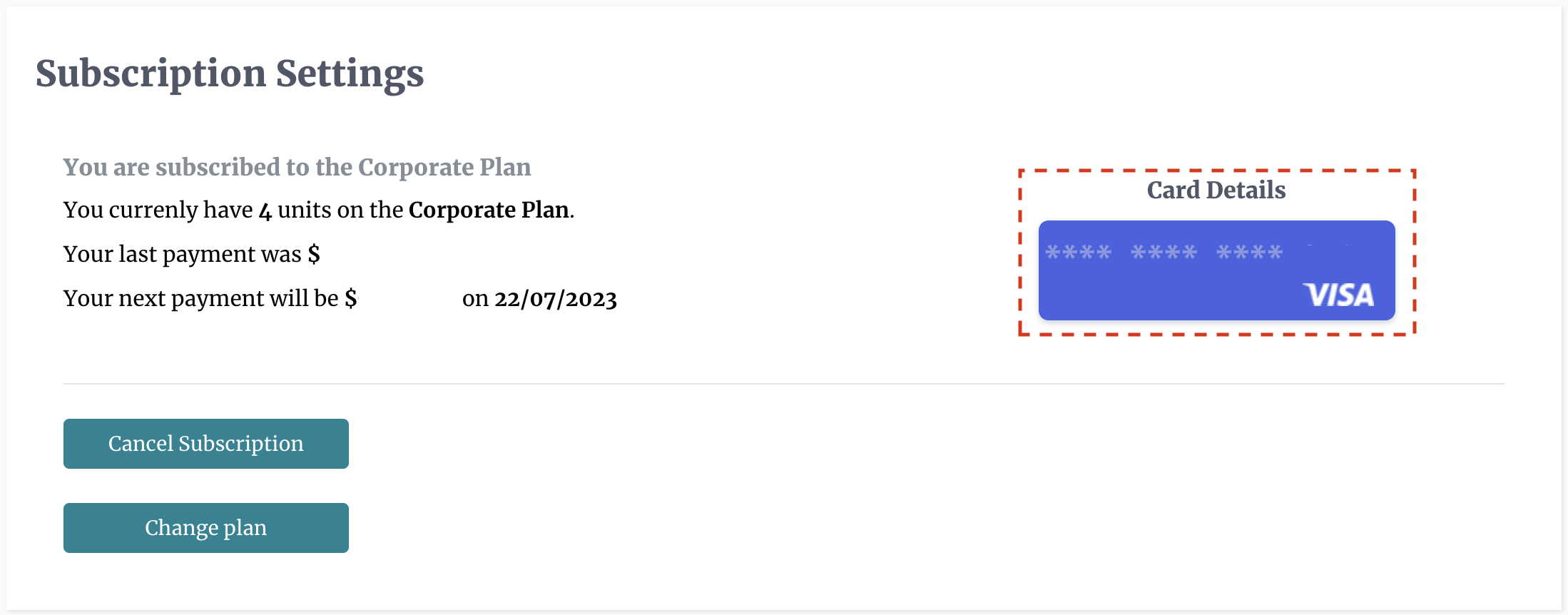
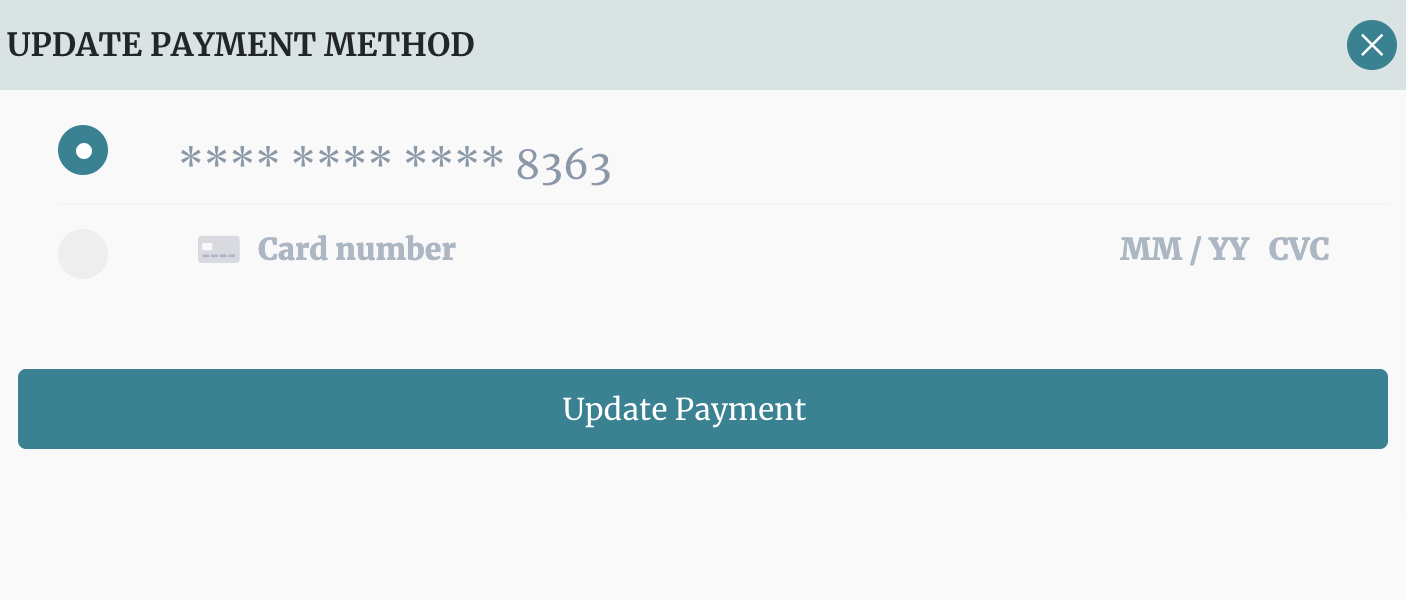
Updating Payment Method Change Card Details

site logo ©
Product
  • Pricing
  • Book A Demo
Resources
  • Help Center
  • Blog
About
  • Contact
  • Privacy
  • Terms

Simple, Flexible, and Cost Effective

Connect

  • facebook
  • facebook